Meet Luft
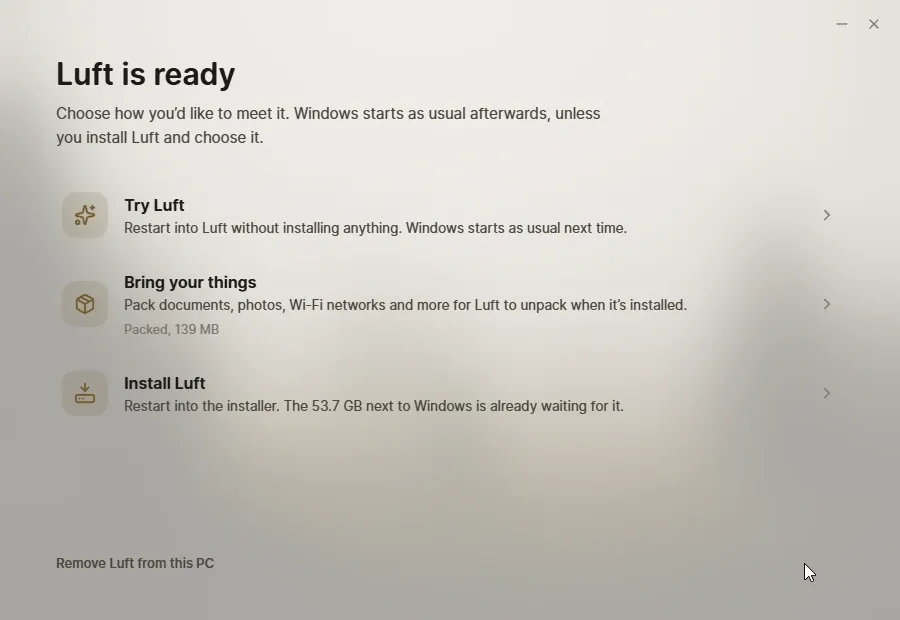
Meet Luft runs on Windows and Linux, not on Luft itself. It checks a computer, puts Luft next to the system already there, and restarts into it once to try or install it, without a USB stick. It also makes USB sticks.
| Download | |
|---|---|
| Windows 10 or 11 | meet-luft.exe |
| Linux | meet-luft.AppImage |
What it does
Section titled “What it does”- Checks the computer: processor, firmware, drive layout, Secure Boot, TPM, BitLocker, Fast Startup, free space, graphics and Wi-Fi, and says what each means.
- Makes room next to Windows with Windows’ own tools, or keeps Luft in a folder on Linux.
- Restarts into Luft once, to Try Luft, Install Luft, or on Linux Replace the old system.
- Packs a moving box of your files and settings from Windows for your new account.
- Makes USB sticks, and adds Luft to Ventoy sticks.
- Gets the newest Luft when a newer build is out.
- Takes it all back out if you change your mind.
Try Luft with Meet Luft walks through each step.
Shortcuts
Section titled “Shortcuts”| Shortcut | Does |
|---|---|
| Ctrl+Shift+N | Switch between releases and nightly builds |
| Ctrl+Shift+L | Save the newest logs from Try Luft to the desktop |
When a step doesn’t finish, Meet Luft says which one and offers to try again. On Windows, what went wrong is written to %LOCALAPPDATA%\Sabine\logs\meet.jsonl.