Keys
Keys makes keyboard layouts and input methods of your own. Open it from Settings, under Keyboard, with Make a layout or Make an input method. What you make shows up next to Luft’s own layouts there.
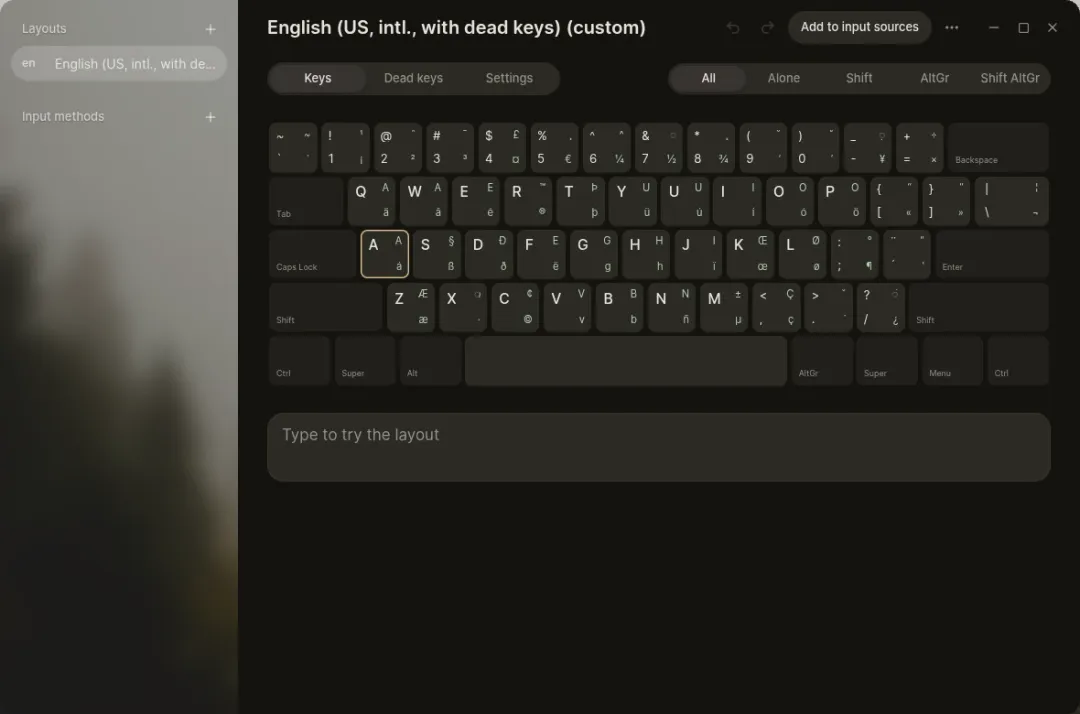
Layouts
Section titled “Layouts”- Start from any installed layout, or one of your own, drawn on an ANSI, ISO or JIS keyboard.
- Edit all four levels of a key: alone, with Shift, with AltGr, and with both. Type the character, or search characters, emoji and dead keys.
- Make your own dead keys, each with its own table, results longer than one character, and dead keys that lead to other dead keys. Editable copies of the standard dead keys come from the layout you started with.
- Move AltGr, place Compose, and choose what Caps Lock does.
- Try it in place before anything is saved. Keys also lists likely mistakes to fix.
Any layout, yours or Luft’s, can be opened just to look at it. The desktop’s Show keyboard layout opens the current one this way.
Input methods
Section titled “Input methods”An input method turns what you type into something else: replacements such as cx becoming ĉ, word choices offered while you type, and Compose-style sequences. Input methods are available as soon as you save them, without signing out, and can learn which choices you pick most.
Importing and exporting
Section titled “Importing and exporting”Keys imports XKB symbols and keymaps, Windows .klc files, m17n .mim files and IBus tables. It exports layouts as XKB symbols, a keymap, a Compose file or a Windows .klc, and input methods as .toml.
Every change can be undone, and everything is saved as you go.